Every ads tool now says it has AI. Most of them mean the same thing: something reads your account, and something changes it. The first half is useful. The second half is where you should slow down, because the account it wants to change is the one paying for your ads with your money.
We built a product that uses AI on Google Ads accounts, and we spent more time deciding what it is not allowed to do than what it can. This is that list, in plain words. It is also a list of questions worth asking any tool that wants near your budget.
The part you want and the part you should fear
What you want from an AI on your account is judgement. Someone who looks at the forty numbers you do not have time for and says: these search terms brought nobody, this setting is on and should not be, this campaign is showing your ads to the whole planet. AI is genuinely good at that. Given the numbers, it reads them the way an experienced ads person would, and it explains itself.
What you should fear is the same AI with its hand on the controls. Every horror story you have heard is that story: the campaign paused by mistake, the budget raised tenfold overnight, the change nobody can explain. The usual answer is "it asks you to confirm", which means the same tool that made the mistake also drew the confirmation box. Ours is simpler. The AI never holds the pen.
Fence 1: it can suggest, it cannot touch
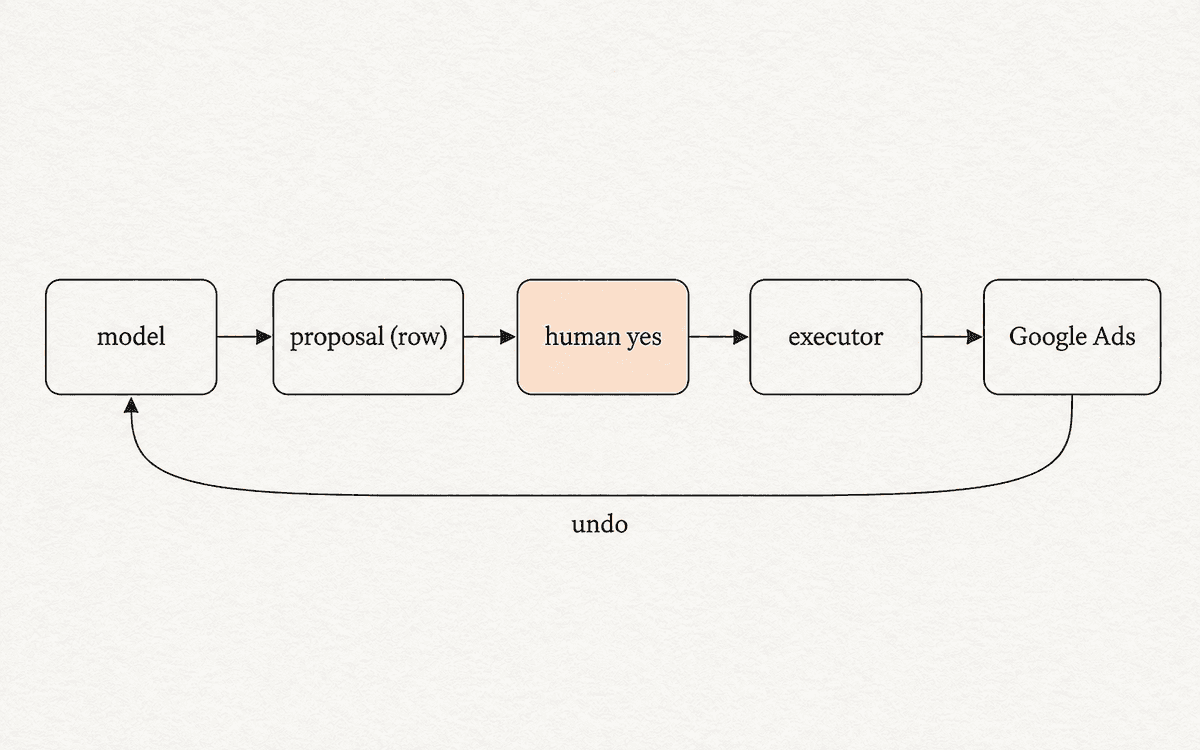
The single decision everything else rests on: our AI can only make suggestions. It cannot make changes, not because it is told not to, but because it has no way to. The part of the product that talks to Google Ads is a separate piece, and the AI is not connected to it.
So a suggestion is exactly that. It says what it would change, on which campaign, from what to what, and why. Then it waits. You read it, and you press Approve or Not now. Only after your yes does the separate piece make the change in your account. If you never press the button, nothing ever happens.
Fence 2: the numbers are counted, not made up
An AI can sound very sure about a figure it invented. That is not a flaw you can fix with a sterner instruction; it is how these systems work, and it is why we never let the AI produce a number.
The scan that finds waste in your account is ordinary arithmetic. It looks at what you spent, where, and what came back, and it counts. The AI's job comes after: it reads the counted results and tells you what matters most, in sentences we wrote and checked. It picks which things to say and in what order. It cannot invent a new dollar figure, because the figures never pass through it.
This costs us a little fluency. The reports read like a careful accountant rather than a columnist. We think you would rather have the accountant.
Fence 3: anything it builds starts switched off
The product can also build a campaign for you. Tell it what you sell and roughly what you want to spend, and it drafts the keywords, the places, the budget and the ads, and puts the campaign in your account.
Paused. Every time, with no option to do otherwise. The campaign exists in Google Ads switched off, and the only thing that turns it on is you, in Google Ads, with your own hand. We could add a "turn it on too" box in an afternoon, and we will not. The difference between "the AI made a campaign" and "the AI spent money" should be a person's deliberate act, never a default.
Fence 4: every change has a receipt and an undo
When you approve a change and it is made, a receipt is written at the same moment: what changed, from what to what, when, and that you approved it. You can read every receipt, for as long as the account exists.
Each receipt has one more line, and it is the line that makes approving anything reasonable: undo. One press, and the setting goes back to exactly what it was, because the product wrote down the old value before it touched anything. Not "we'll look into it", not a support ticket. The same part that made the change knows how to unmake it.
Undo is what turns "approve" from "trust us" into "you can be wrong for a minute".
Fence 5: your own assistant gets the same rules
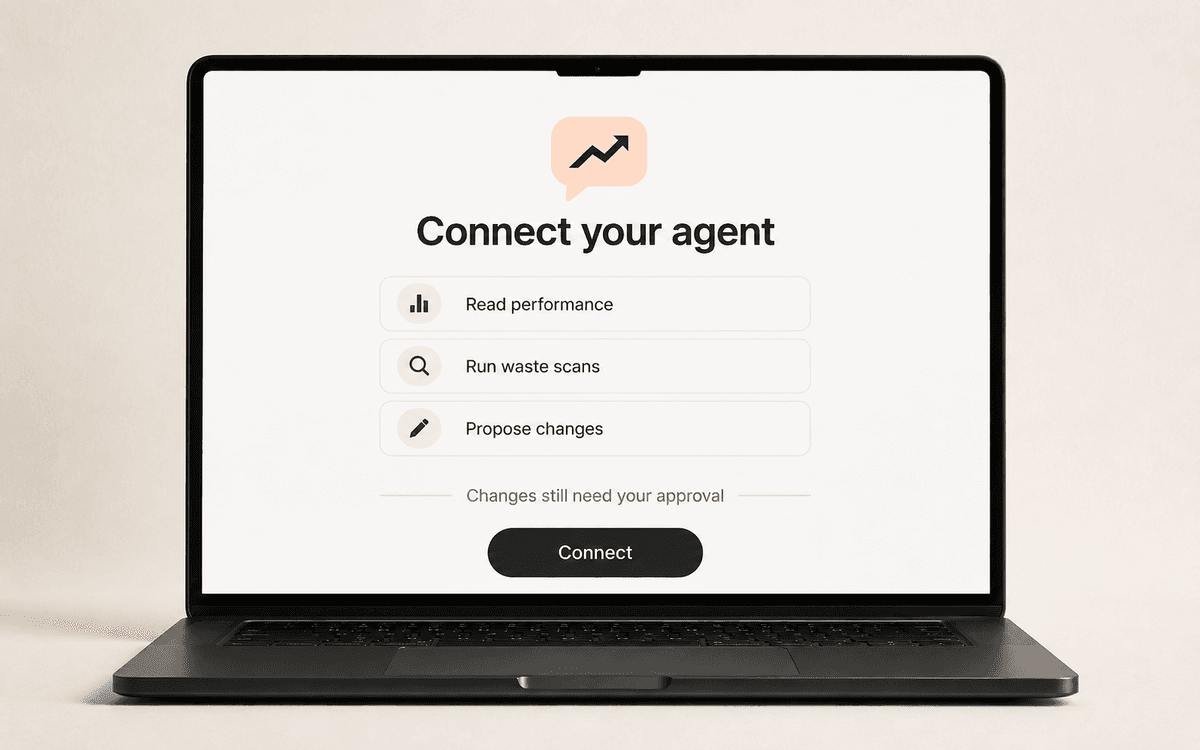
More and more owners do not open our app at all. They ask their own assistant, the one they already talk to every day, to check their ads. So we let you connect it.
Here is what matters: your assistant gets the same door and the same fence you do. It can read your performance, run a waste scan, and make suggestions. It cannot approve them. A suggestion your assistant makes is exactly the same as one made in the app: it waits for your yes, gets the same receipt, and has the same undo. You can disconnect it from your settings whenever you like.
What this costs you
Speed, for one. Because a person is always in the middle, "fix it" is never instant; it is "here is the fix, press the button". A shorter feature list, for another: no autopilot, no "let the AI run my account for a month", no campaigns that go live on their own. Every one of those is a feature some other tool will happily sell you.
We think all of that is the right price. The alternative is a product that is occasionally, confidently, expensively wrong with someone else's money, and no amount of "our AI is very accurate" survives the first time that happens to you.
Five questions to ask any tool near your money
You do not need to understand how any of this works to protect yourself. Ask the people selling it:
- Can the AI change my account on its own, or only suggest? If it can, what physically stops it?
- Where do the numbers in the report come from, and can the AI invent one?
- If it builds something, does it go live on its own?
- Is there a receipt for every change, and a one-press undo?
- If I connect it to my other tools, can they do anything I could not?
If any answer is vague, the fence is not there. Ours is, and this is where it stands.