The Waste Scan
Find out what your Google Ads wasted last month - in dollars.
The Waste Scan connects to your account read-only, checks the settings and search terms you actually paid for, and names each leak with a dollar figure calculated from your own data. Free, about five minutes, no card required.
This is my own account
I ran it on my own ads before asking you to run it on yours.
One real Google Ads account, scanned 28 June – 27 July 2026, finished 4 August 2026. These are the numbers it returned, unedited.
- Spend
- $287.73
- Clicks
- 171
- Conversions
- 0
- Recoverable waste found
- $0.00
Zero conversions last month, on $287.73 across 171 clicks - steady traffic every day, and nothing to show for it.
Click-through was a normal 2.8%, so people were seeing the ads and clicking. The agent's read: a conversion action that probably isn't tracking, rather than visitors who weren't interested. That is the finding worth having, and it isn't a number a savings estimate would ever surface.
It found nothing to claw back, and said so. An audit that always finds savings is selling you the finding.
What you can ask for
See pricingAd platforms were built for professionals. You should be able to ask a question anyway.
A retainer buys a team's attention, and it is priced for accounts that need a team. Most accounts need answers. AskMyAds already knows your Google Ads account and your website. Ask it how the ads are doing, what to change, or what a new campaign should look like. It answers with the numbers, drafts the exact change, and nothing happens without your approval.
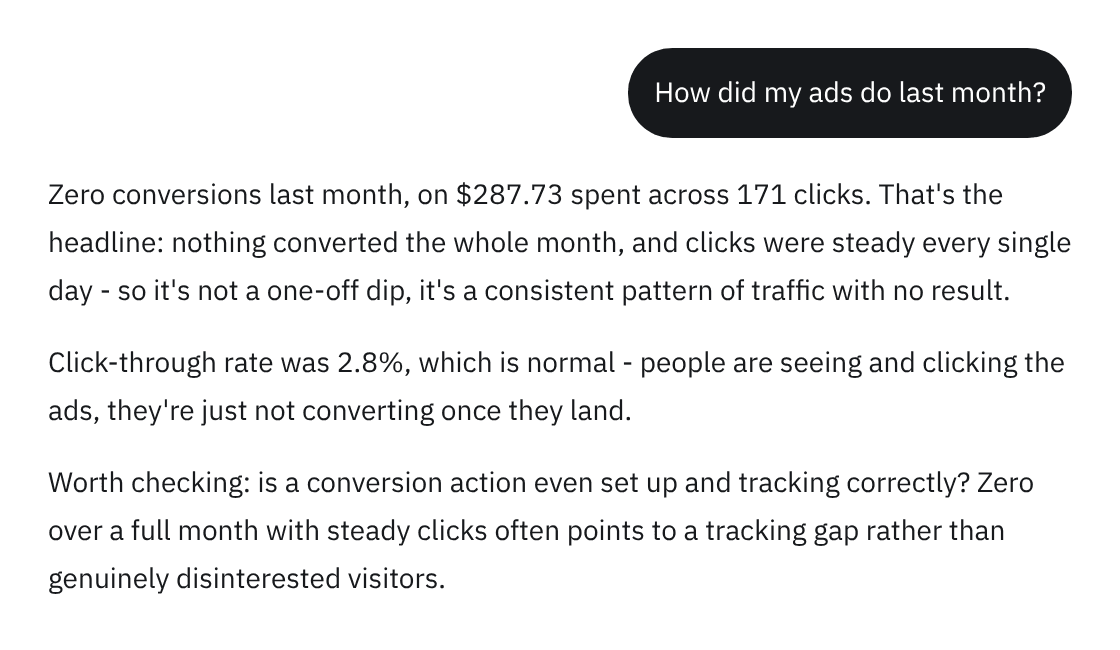
Explain it plainly
No dashboards to decode. Ask how last month went and the answer names the number that matters - zero conversions on $287.73 and 171 clicks - then says what it thinks is causing it.
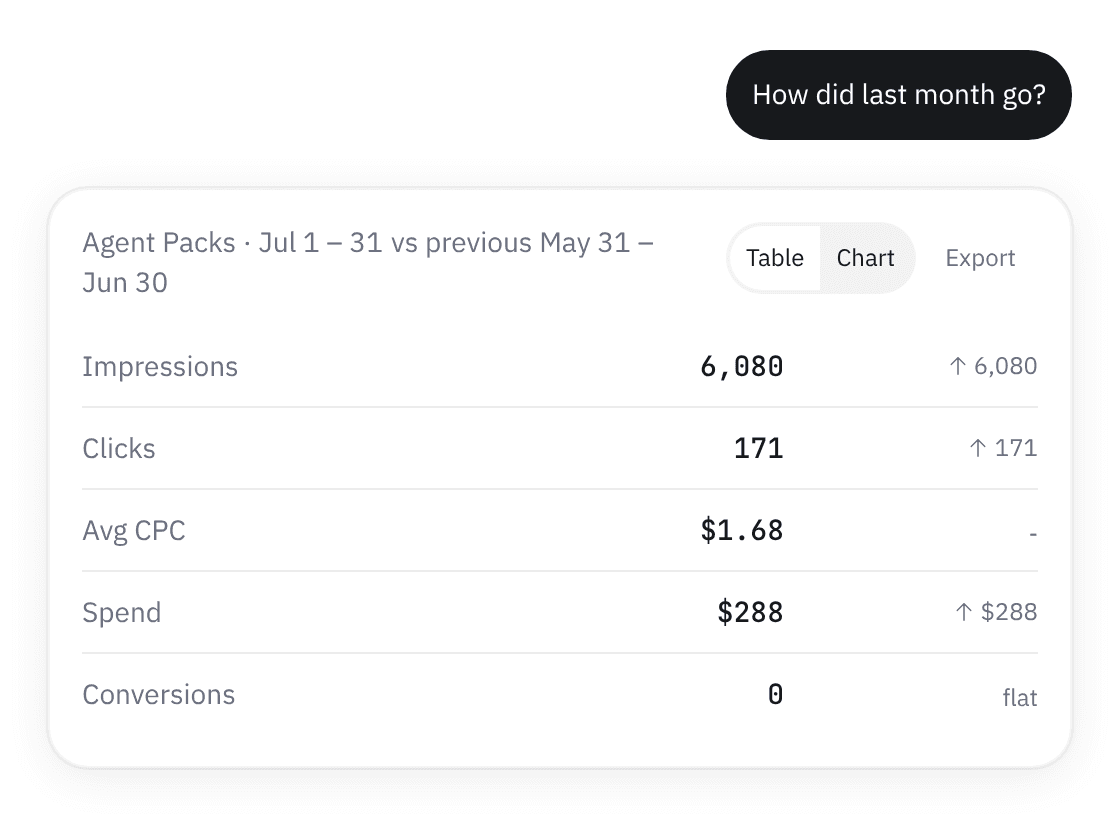
Show the numbers behind it
Every figure in an answer is computed server-side and shown to you, so you can check the prose against the table it came from rather than take the sentence on trust.
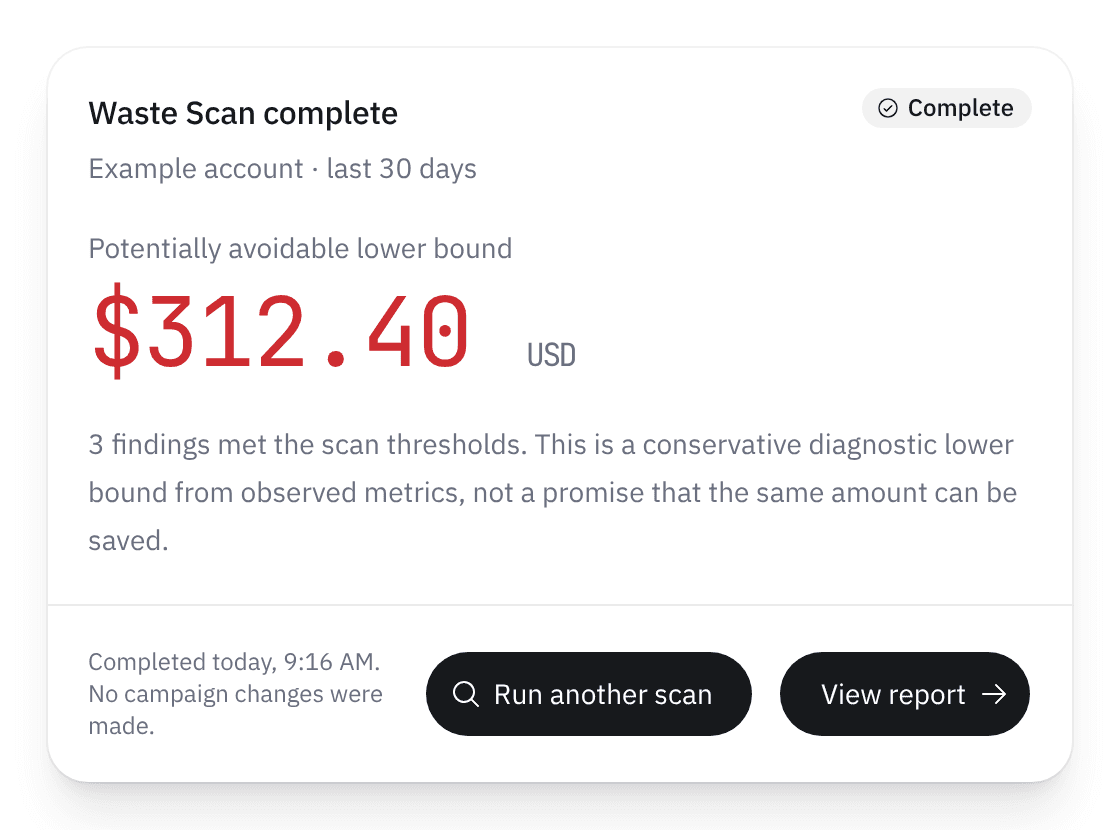
Ask it to find the waste
The free Waste Scan is the first thing to ask for. Connect your Google Ads account with read-only intent. AskMyAds checks campaign settings, search terms, targeting, and conversion signals, then reports what the account wasted - with a dollar figure calculated from its own metrics. You get a conservative lower bound on what was avoidable, tied to the findings behind it. Every figure comes from deterministic, read-only checks - nothing is estimated by a model. Example account shown; the dated result from my own is above.
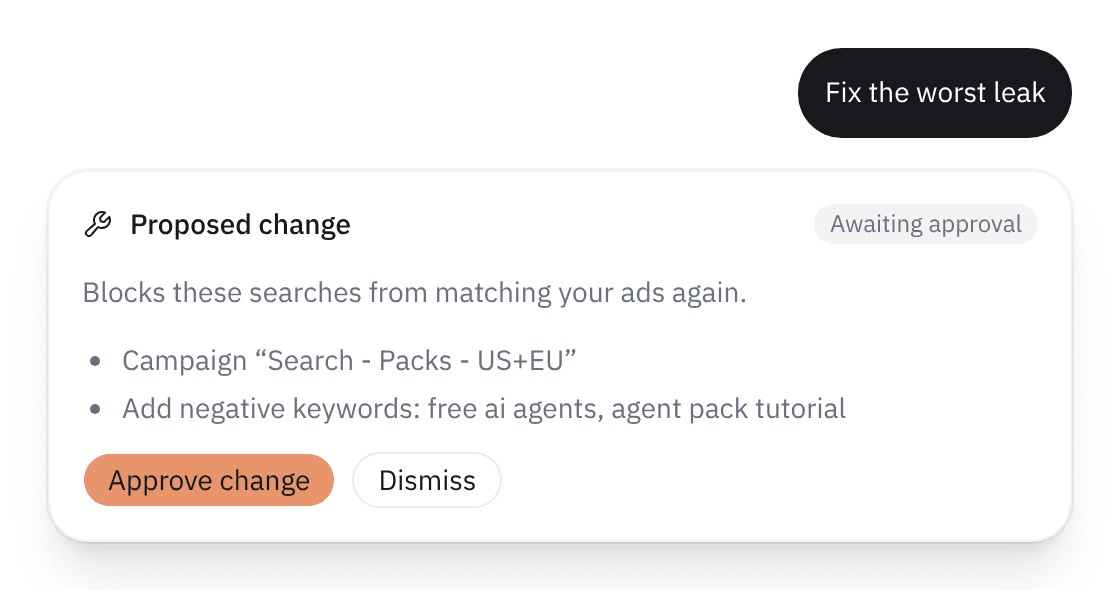
Fix it with a yes
Every fix is shown as an exact change, applied only after you approve it, and undone with one click. A new campaign is drafted the same way and created paused. A chat reply is never approval.
Start with the free Waste Scan.
It is the first thing to ask for. In about five minutes, read-only, it names what your account wasted last month in dollars from your own numbers. Then keep asking: how the ads are doing, which keywords to add, what a new campaign should look like. Any fix it suggests waits for your approval, and so does any campaign it drafts.
Run your free Waste Scan- Read-only scan; nothing changes while it runs
- Findings in dollars, from your own account's metrics
- Then ask anything: performance, keywords, a campaign draft
- Free Waste Scan - no card required
- Every change shown first, applied on your yes, undone in one click